
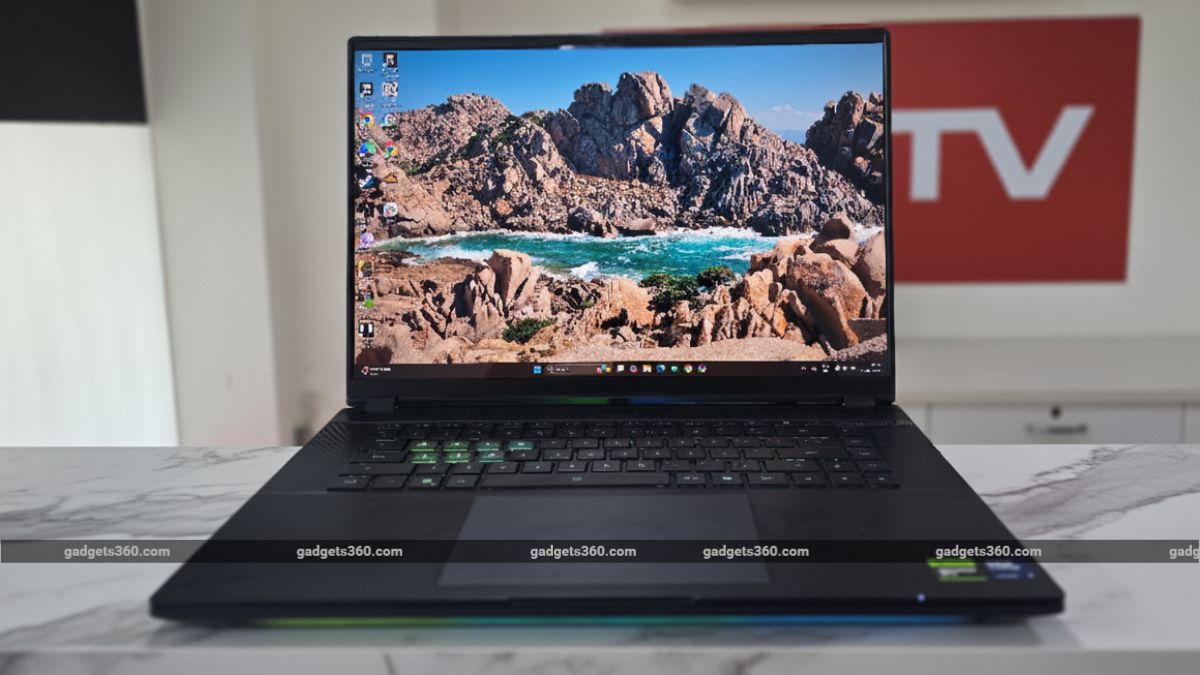
The Gigabyte AORUS Master 16 carries a premium price tag of Rs. 3,15,000.
The gaming laptop market has long been ruled by giants like Asus, HP, and Dell. But now, a bold new contender is stepping into the arena: Gigabyte. They’ve recently unleashed the AORUS Master 16, a gaming laptop designed to turn heads and challenge the status quo. This machine boasts a distinctive, gaming-focused design, a stunning flagship OLED display, a powerful Intel processor, and NVIDIA’s latest RTX 5080 GPU.
Priced at a hefty Rs. 3,15,000, it clearly aims for the premium segment. The big question is: can it truly compete with the seasoned players in this league? I’ve had the chance to put this device through its paces, and here’s everything you need to know.
Gigabyte AORUS Master 16 Design: Undeniably Gaming-Centric
- Dimension – 357 x 254 x 23~29.9 mm
- Weight – 2.5kg
- Colours – Dark Tide
The AORUS Master 16 isn’t shy about its gaming roots; it’s designed to grab attention. From its sharp angles and prominent LED lighting to its sleek matte finish, this laptop boldly showcases its gaming aesthetic without ever feeling gaudy. I was particularly impressed by how Gigabyte managed to incorporate just enough aggressive contours to convey a powerful gaming identity without overdoing the ‘LED light show’ effect.
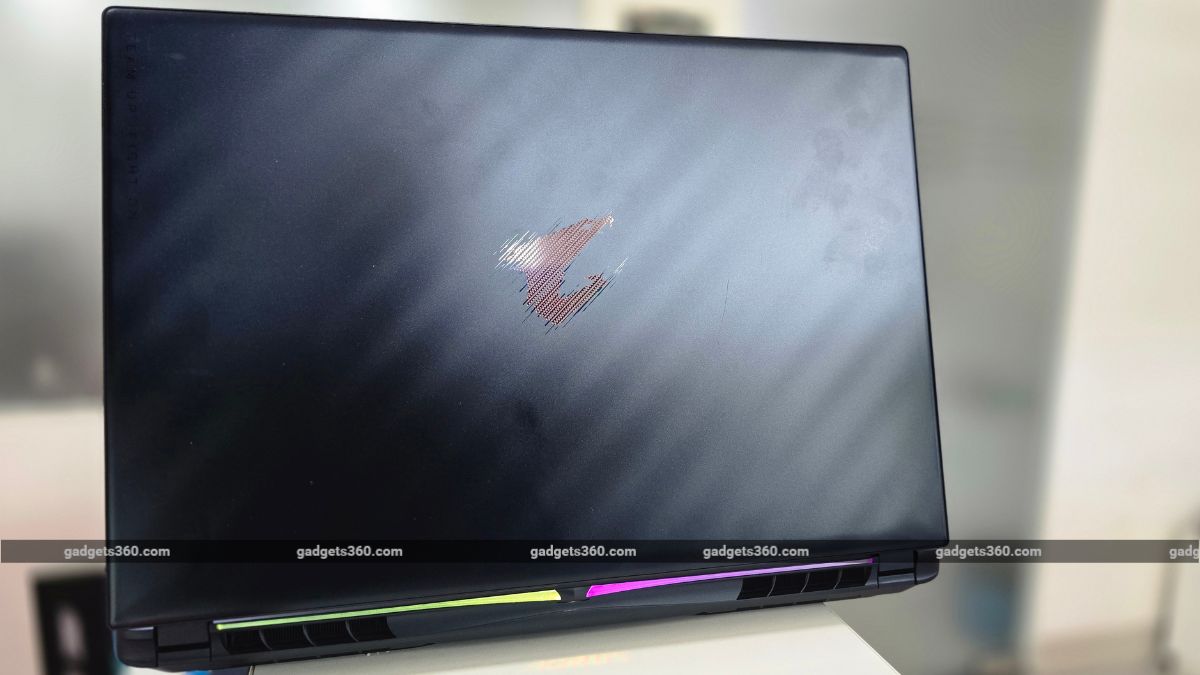
The Gigabyte AORUS Master 16 is offered in a single color: Dark Tide.
The laptop’s lid proudly displays an illuminated AORUS Falcon logo. A subtle light strip runs along the front edge, and a unique rear projector beams the AORUS logo onto the surface beneath – a cool touch for those who appreciate a distinct desk presence. Additionally, the 3-zone backlit keyboard can be customized, further enhancing the personalized lighting experience.
However, the design isn’t without its drawbacks. A significant point of contention is the extensive use of plastic. While not immediately apparent, a closer look reveals that Gigabyte made some compromises here. This choice feels a bit underwhelming, especially when many competitors in the same price bracket offer premium metal lids or brushed-aluminum chassis.
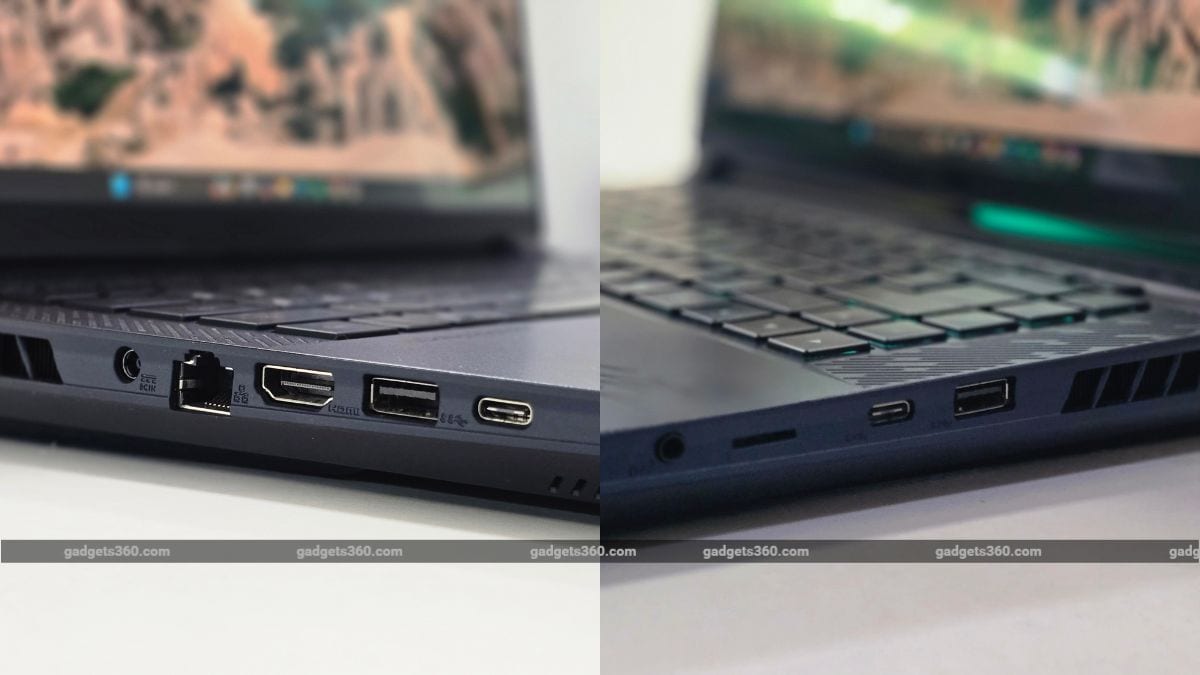
The laptop offers a comprehensive selection of ports for an uninterrupted gaming and productivity experience.
In terms of I/O, the AORUS Master 16 is impressively well-equipped. The left side houses a DC power input, an RJ-45 Ethernet port, an HDMI 2.1 output, a Type-A Gen 2 port, and a Type-C port with Thunderbolt 5 support. On the right, you’ll find another Type-A port, a Type-C port, a microSD card slot, and a 3.5mm audio jack. This thoughtful distribution of ports across both sides ensures easy and convenient connectivity for all your peripherals.
Gigabyte AORUS Master 16 Display: Fluid Visuals and Dazzling Colors
- Display – 16-inch OLED display
- Resolution – WQXGA (1600×2560 pixels)
- Refresh Rate – 240Hz
The display is undeniably one of this gaming laptop’s standout features. It boasts a stunning 16-inch OLED panel with a blazing-fast 240Hz refresh rate. Furthermore, it’s VESA DisplayHDR True Black 500 certified, covering a full 100 percent of the DCI-P3 color gamut, ensuring incredibly rich and accurate colors. The laptop also achieves a peak brightness of 500 nits.
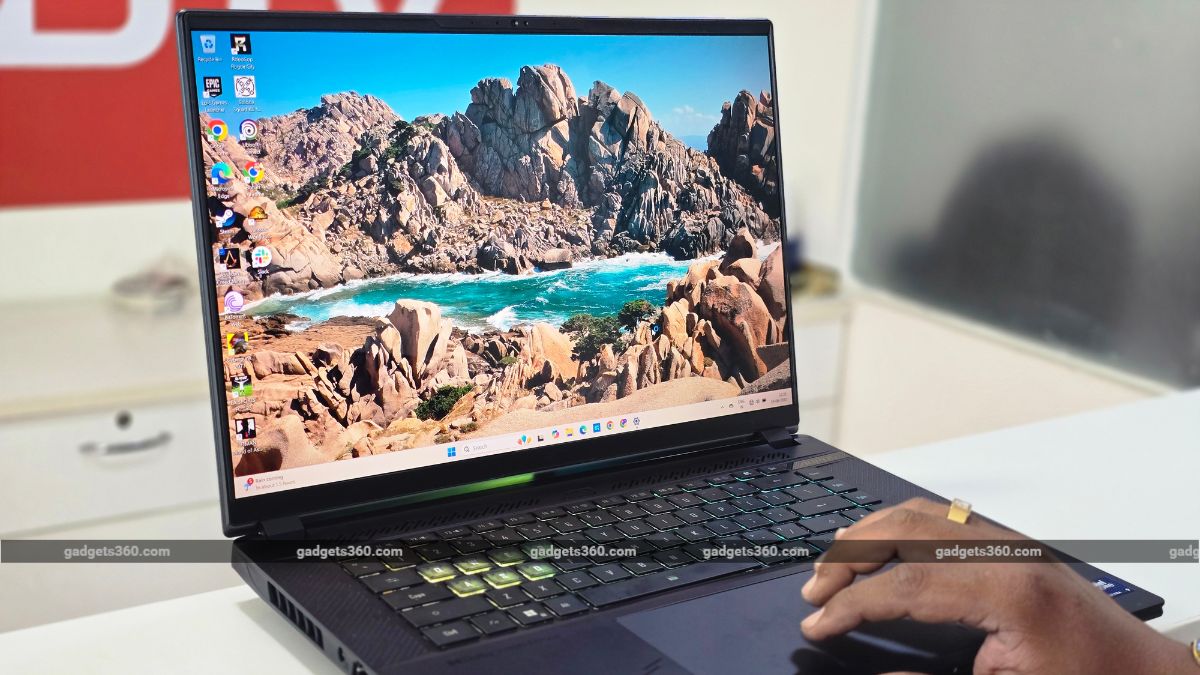
Experience vibrant colors, crisp text, and profound blacks on the laptop’s brilliant OLED display.
In real-world use, the panel lives up to its promise. Blacks are profoundly deep, and colors truly pop with incredible vibrancy. Whether I was engrossed in a Netflix series or battling foes in games like Alan Wake 2, the visuals were consistently lively and the contrast perfectly balanced.
The 240Hz refresh rate further elevates the experience, ensuring buttery-smooth and fluid gameplay, along with an overall seamless visual interaction. While its 500 nits of peak brightness is more than adequate for indoor environments, where most users will be spending their time, it might struggle under direct, harsh lighting.
Keyboard, Touchpad, Speakers, and Webcam: A Closer Look
- Keyboard – Backlit keyboard
- Webcam – 1080p IR camera
- Speakers – Four Speakers with Smart AMP + Dolby Atmos
The Gigabyte AORUS Master 16 includes an RGB backlit keyboard, offering customization options, though it’s limited to 3-zone illumination. Given the laptop’s premium price tag, exceeding Rs. 3 lakh, this feels somewhat underwhelming, as many competitors in this segment provide full per-key RGB customization. Despite this, I appreciated the transparent WASD keys, which add a distinctive flair.
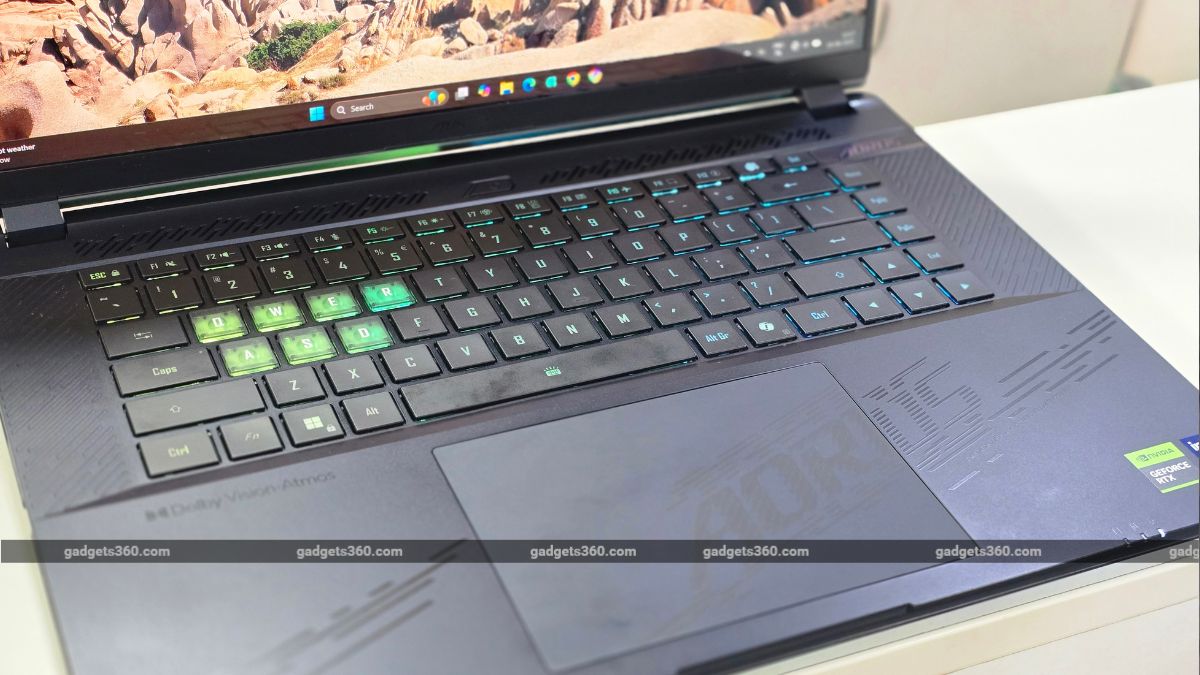
The Gigabyte AORUS Master 16 features a 3-zone backlit keyboard.
Beyond the WASD keys, Gigabyte extended the transparent treatment to the Q, E, and R keys, lending a truly unique look and feel. The keyboard itself proved remarkably comfortable for both extended gaming sessions and prolonged typing tasks.
Key travel is satisfying, offering a pleasant tactile bounce with each press. My only minor critique is that slightly larger keycaps could have enhanced the comfort even further, especially considering the absence of a full-size numpad.
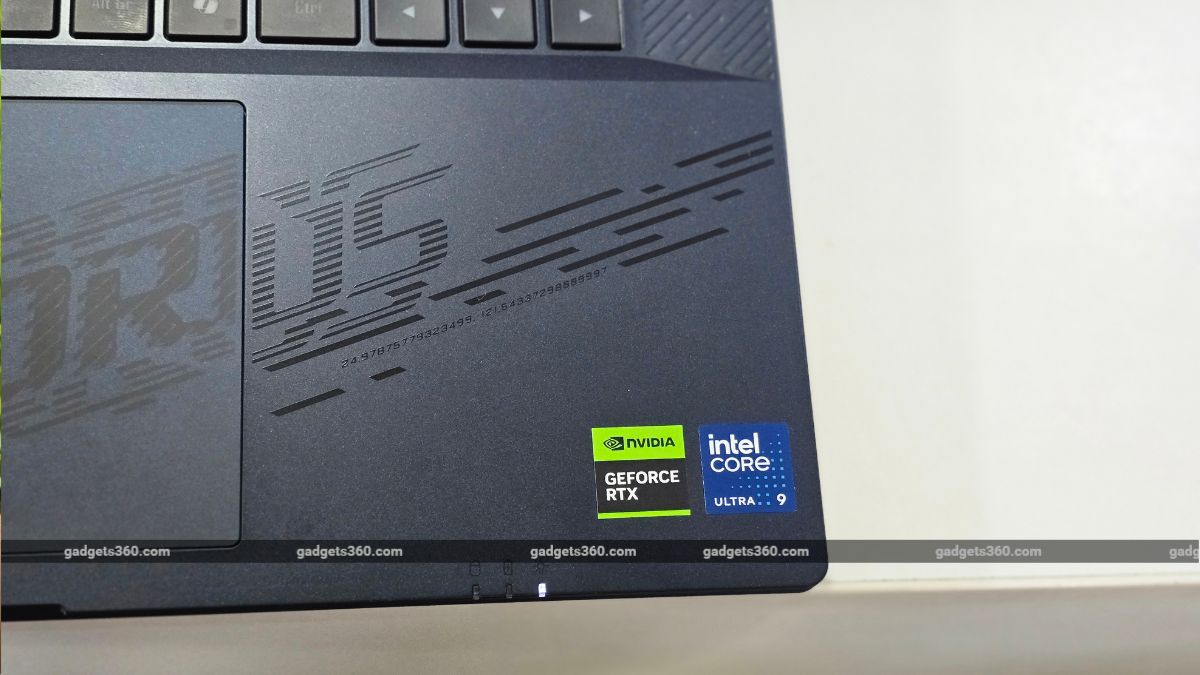
The touchpad is generously sized and delivers a smooth, responsive experience with precise multi-touch gesture support.
The Gigabyte AORUS Master 16’s speakers are a pleasant surprise. Unlike many gaming laptops that suffer from muffled audio, forcing reliance on headphones or external speakers, the Master 16 delivers impressively loud and well-rounded sound, providing a genuinely decent audio experience.
Gigabyte AORUS Master 16 Software: GiMate’s Potential, and Its Pitfalls
- Operating System – Windows 11 Home
- Other Features – GiMate
Running on Windows 11, the Gigabyte AORUS Master 16 is a CoPilot+ PC, granting access to Microsoft’s full suite of AI features. Gigabyte also includes its own AI-enabled GiMate application, designed to offer suggestions and monitor laptop performance. Convenient physical shortcut keys allow for quick transitions between quiet, balanced, and performance modes.
Functioning as the laptop’s central control hub, GiMate presents a minimal home screen with a simple structure. However, navigating its various menus can be somewhat counter-intuitive. During my testing, I also encountered some issues with the laptop’s graphics switching.
A particular annoyance was the automatic disabling of the discrete GPU (dGPU) to conserve energy when the adapter is unplugged. To resolve this, one must delve into the ‘Scenario > Power Supply > AI Power Gear’ menu and manually switch to ‘Gaming mode’ and then ‘Optimus.’ Overall, compared to more refined control centers like Armoury Crate from other brands, GiMate feels a bit underdeveloped, lacking in comprehensive customization options.
Gigabyte AORUS Master 16 Performance: A True Powerhouse
- Chipset – Intel Core Ultra 9 275HX Processor
- RAM – 32GB DDR5 5600MHz
- ROM – 1TB PCIe 4.0 NVMe M.2 SSD
- GPU – NVIDIA GeForce RTX 5080 (12GB GDDR7)
Under the hood, the Gigabyte AORUS Master 16 is an absolute beast. It’s driven by the cutting-edge Intel Core Ultra 9 275HX processor, boasting an impressive boost frequency of up to 5.4GHz, 24 cores, 24 threads, and a generous 36MB cache. Complementing this formidable CPU is NVIDIA’s latest GeForce RTX 5080 graphics card. The laptop also comes equipped with 32GB of LPDDR5X 5600 RAM and a lightning-fast 1TB PCIe 4.0 NVMe M.2 SSD for storage.
| Benchmark | Gigabyte AORUS Master 16 | Asus ROG Strix Scar 16 2025 | HP Omen Max 16 |
|---|---|---|---|
| Cinebench R23 Single Core | 2198 | 2183 | 1275 |
| Cinebench R23 Multi Core | 26543 | 32895 | 30974 |
| Geekbench 6 Single Core | 3054 | 3015 | 2948 |
| Geekbench 6 Multi Core | 19658 | 15335 | 18373 |
| Geekbench AI (Quantized) | 15362 | 8429 | 8436 |
| PC Mark 10 | 9010 | NA | NA |
| 3DMark Night Raid | 83976 | NA | NA |
| 3DMark CPU Profile | 16098 | NA | NA |
| 3DMark Steel Nomad Light | 18976 | NA | NA |
| 3DMark Steel Nomad | 8659 | NA | NA |
| 3DMark Port Royal | 10564 | NA | NA |
| CrystalDiskMark | 6973.59 MB/s (Read) / 5766.89 MB/s (Write) | NA | NA |
In terms of raw performance, this laptop delivers an incredibly stable and potent combination. The flagship Intel processor paired with the latest RTX graphics card effortlessly handles virtually any task imaginable. From demanding office work to intense gaming, this machine excels as a versatile powerhouse, offering the best of both worlds.
Day-to-day performance is exceptionally snappy, and the laptop effortlessly manages heavy multitasking. I easily ran over 20 Chrome tabs while playing a video in the background, and the system showed no signs of strain.
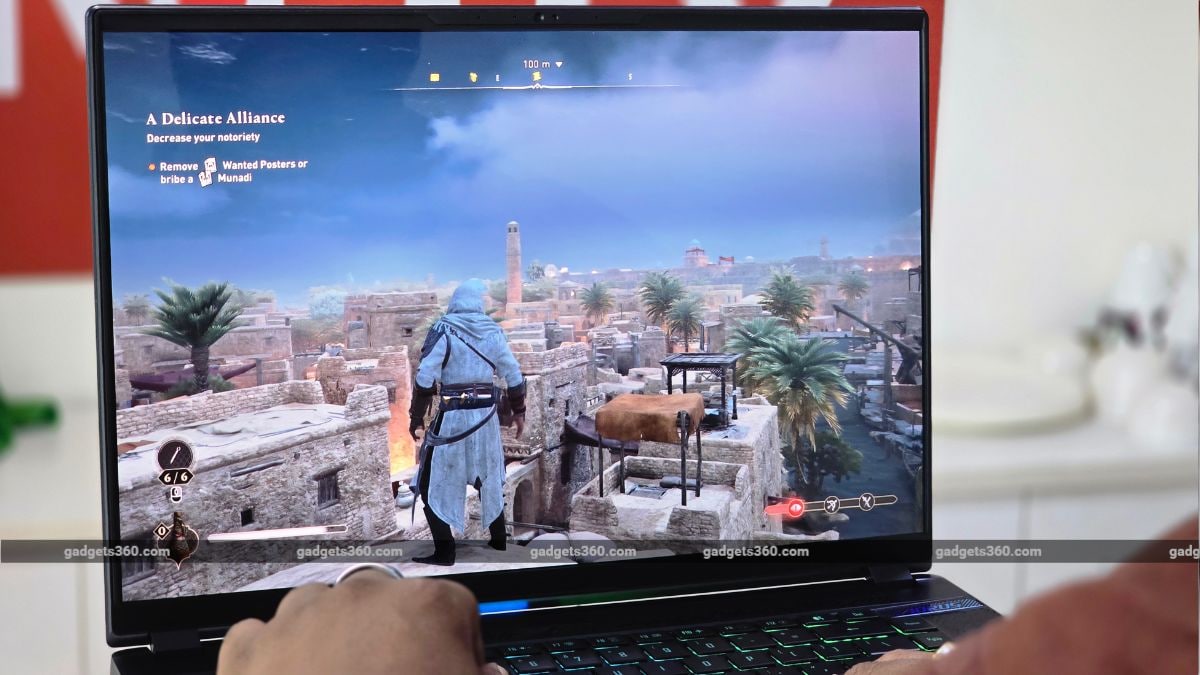
This laptop delivers flagship-grade performance, effortlessly handling even the most demanding AAA games.
When it comes to gaming, the AORUS Master 16 truly shines with its ability to run the latest AAA titles. During my playthrough of Alan Wake 2, with native resolution, DLSS, and 4X Frame Generation enabled, I consistently achieved a smooth 110fps. Cyberpunk 2077, set to ultra settings, averaged around 38 fps, while Shadow of the Tomb Raider at its highest graphical fidelity offered an impressive 110 to 114fps.
Thermal management presents an interesting aspect. The laptop effectively maintains lower temperatures during intensive workloads, thanks to its dual-fan setup, dubbed ‘Windforce Infinity EX’ by Gigabyte. While these fans are highly effective at cooling, they also generate a considerable amount of noise, making quiet late-night gaming sessions a challenge.
Gigabyte AORUS Master 16 Battery: Decent, But Demanding
- Battery Capacity – 99Wh Lithium Polymer (Typical)
- Fast Charging – 330W Adapter
Equipped with a substantial 99Wh battery and bundled with a powerful 330W fast charger, the Gigabyte AORUS Master 16 is built for performance. However, such high-end hardware inevitably impacts battery longevity. In balanced mode, users can expect a decent 4 to 5 hours of battery life, depending on their usage. For more demanding tasks like video editing, however, battery life can drop to under 3 hours when relying solely on battery power.
Gigabyte AORUS Master 16: The Final Verdict
In conclusion, the Gigabyte AORUS Master 16 strikes a commendable balance between its distinctive gaming design and formidable performance. It fully embraces its gaming heritage, though the noticeable reliance on plastic might detract slightly when compared to more premium-feeling rivals. Nevertheless, its display stands out as one of the best in its class, offering incredibly fluid and vibrant visuals perfect for both gaming and streaming.
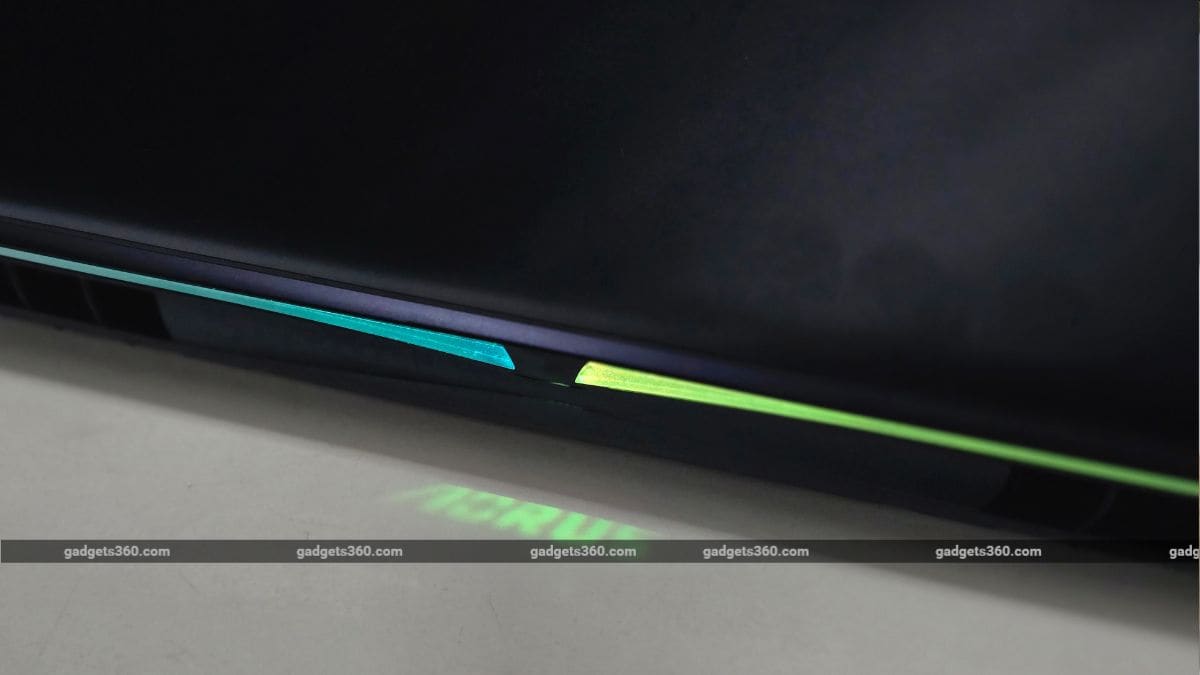
The laptop boasts a brilliant OLED display, delivers flagship-tier performance, and offers a respectable, though average, battery life.
Performance is unequivocally top-tier, allowing you to immerse yourself in demanding games without encountering throttling or frame rate drops. While thermal management is effective, the fans do become noticeably loud under sustained heavy loads. Ultimately, if your priorities are uncompromising raw performance and a superb OLED display, and you’re prepared to contend with fan noise and a slightly heavier form factor, the AORUS Master 16 is a strong contender worth serious consideration.