
The Uttar Pradesh Police Recruitment and Promotion Board (UPPRPB) has officially released the eagerly awaited admit cards for the UP Police Sub Inspector (SI), Assistant Sub Inspector (ASI), and Computer Operator examinations for the year 2025. This is a crucial step for all aspiring candidates, who can now download their essential hall tickets directly from the UPPRPB’s official website.
Accessing your admit card is straightforward: simply visit uppbpb.gov.in, provide your registration number, date of birth, and the security captcha. With your admit card in hand, you’ll have all the necessary details regarding your exam center, timings, and other vital instructions.
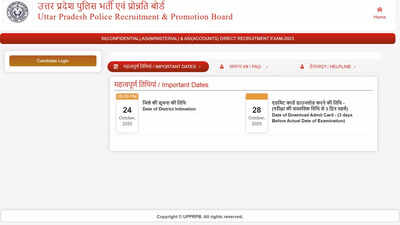
Key Exam Dates:
- Computer Operator Grade-A Exam: November 1, 2025
- Sub Inspector (SI) and Assistant Sub Inspector (ASI) Exams: November 2, 2025
All examinations will be held at various designated centers throughout Uttar Pradesh. Remember, your admit card is mandatory for entry into the examination hall.
Understanding the UP Police SI and ASI Exam Pattern 2025
The SI and ASI examinations will be conducted online, carrying a total weightage of 400 marks. The question paper consists of 200 objective-type questions, distributed across four main sections, each valued at 100 marks:
- General Hindi/Computer Knowledge
- General Knowledge/Current Affairs
- Numerical Ability Test
- Aptitude/Logical Reasoning/IQ Test
Candidates will have 2 hours and 30 minutes to complete the exam. It’s important to note that each question carries equal marks, and there will be no negative marking for incorrect answers. Please review all instructions on your admit card carefully and ensure your personal details are accurate. Any discrepancies should be reported to the UPPRPB immediately.
Simple Steps to Download Your UP Police Admit Card 2025:
- Visit the Official Website: Go to uppbpb.gov.in.
- Locate the Link: Click on the link specifically for the UP Police SI, ASI, or Computer Operator admit card 2025.
- Enter Credentials: Input your registration number and date of birth in the designated fields.
- Complete Security Check: Fill in the captcha or security code and submit the form.
- Download and Print: Your admit card will appear on the screen. Download it, take a printout, and keep it safe for your exam day.