
Searching for the best CPU cooler? For most PC builders and gamers, the ideal cooler doesn’t just manage your CPU’s temperature; it does so with minimal noise. While some prioritize extreme cooling performance or require a compact design for small form-factor builds, we’ve curated a selection to meet diverse needs.
Our top overall pick is the Noctua NH-D15, renowned for its immense cooling capabilities and incredibly quiet operation. If you’re looking for more budget-friendly air cooling, consider the Cooler Master Hyper 212 Halo White or the Thermalright Peerless Assassin. For those leaning towards All-In-One (AIO) liquid cooling, the NZXT Kraken 240mm is an excellent starting point. Explore our comprehensive list below for more suggestions, including compact low-profile coolers and powerful 360mm AIOs. If you’re new to CPU cooling, our “How to Choose” and “FAQ” sections will guide you through the essentials.
Why you can trust our advice ✔ Our team of experts invests countless hours in rigorously testing hardware and evaluating components. We are committed to providing honest, unbiased recommendations to help you make informed purchasing decisions.
Best CPU Coolers:
- Noctua NH-D15 – Best Air Cooler
- Thermalright Peerless Assassin 120 SE ARGB – Best for Most Users
- Cooler Master Hyper 212 Halo White – Best Budget Option
- Arctic Freezer 7 X – Another Excellent Budget Air Cooler
- Noctua NH-L9 series – Best Low-Profile Cooler
- Thermaltake TH420 V2 ARGB Sync – Best 420mm AIO
- NZXT Kraken Elite 360 RGB – Best 360mm AIO (with LCD)
- Cooler Master MasterLiquid 360L – Best Budget AIO (360mm)
- NZXT Kraken 240mm – Best 240mm AIO Overall
- NZXT Kraken 120 RGB – Best 120mm AIO

Noctua NH-D15
Best Air Cooler
| Size (WxDxH) | 150 x 161 x 165mm |
| AMD socket support | AM5, AM4 |
| Intel socket support | LGA1851, LGA1700, LGA1200, LGA115x |
| Number of fans | 2 x 140mm |
| Max stated noise level | 24.6dBA |
- Rivals water cooling
- Quiet
- Two 140mm fans
- Restricts memory setups
- Might be too big for some setups
The Noctua NH-D15 is a massive air cooler, featuring two 140mm fans and dual heatsinks compatible with both AMD and Intel sockets. Despite its distinct brown and beige aesthetic—Noctua’s signature—it remains the unrivaled champion of air cooling. It delivers whisper-quiet operation and temperatures that nearly mirror high-end custom water cooling setups, even under heavy loads.
The primary considerations with this cooler are its price, which is on the higher side for an air cooler (though still more affordable than premium AIOs), and its substantial size. Before purchasing, verify your PC case’s CPU cooler height clearance and ensure your memory modules have enough room. Be prepared for it to dominate your PC’s interior, as it certainly won’t contribute to a clean, RGB-focused aesthetic.
Nevertheless, if your case can accommodate it and you appreciate its unique look (or your PC lacks a side window), the NH-D15 is an exceptional piece of hardware. It builds upon a long legacy of acclaimed Noctua coolers. Its included cable splitter helps keep things tidy, and installation is straightforward. This cooler truly earns its top spot, consistently handling extended multi-threaded workloads on even the most demanding CPUs.

Thermalright Peerless Assassin 120 SE ARGB
Best CPU cooler for most
| Size (WxDxH) | 110 x 125 x 155mm |
| AMD socket support | AM4, AM5 |
| Intel socket support | LGA115x, LGA1200, LGA1700, LGA1851 |
| Number of fans | 2 x 120mm |
| Stated noise level | 25.6dB |
- Fantastic value
- Great cooling for powerful gaming CPUs
- Smart design with RGB
- Can’t deal with most powerful CPUs
- Not the very quietest choice
- Can be a bit fiddly to install
The Thermalright Peerless Assassin 120 SE ARGB is our top recommendation for a CPU cooler that will perfectly suit most mid to high-end gaming PCs. If you’re running a six to 12-core gaming CPU, such as the AMD Ryzen 7 9800X3D or Intel Core i5-14600K, this is an excellent choice. While the Cooler Master Hyper 212 is suitable for lower and mid-range chips, the Peerless Assassin offers superior cooling power for more demanding CPUs.
This dual-fan and dual-heatsink cooler can manage a rated heat output of 265W, which is more than sufficient for many powerful CPUs, though it can’t quite handle the 300W+ demands of an Intel Core i9 14900K. Nonetheless, for the CPUs it’s designed for, it delivers ample cooling with low noise during normal use. It isn’t the absolute quietest cooler available—for that, you’d look to the Noctua NH-D15—but it’s still quiet enough for most systems.
Despite its simple, affordable nature, this cooler looks reasonably sleek thanks to the black top plates on its heatsinks and the inclusion of ARGB fans. Installing the four cables (two for each fan) and reaching between the heatsinks with a long screwdriver for attachment isn’t the easiest process, but it’s comparable to similar dual-stack designs.
The main reasons to consider an alternative are if you have an extremely high-end CPU or prefer the open aesthetic of an AIO cooler. Dual-fan air coolers like this inherently occupy a significant amount of space in your case and can look somewhat conventional (RGB elements notwithstanding). If these factors don’t deter you, however, the Thermalright Peerless Assassin 120 SE ARGB offers incredible value as a CPU cooler.

Cooler Master Hyper 212 Halo White
Best budget CPU cooler
| Size (WxDxH) | 124 x 73 x 154mm |
| AMD socket support | AM5, AM4 |
| Intel socket support | LGA1851, LGA1700, LGA1200, LGA115x |
| Number of fans | 1 x 120mm |
| Max stated noise level | 27dBA |
- Simple to install
- Stylish RGB lights
- Compact
- Not strong enough for high-end CPUs
- RGB inflates the price
The Cooler Master Hyper 212 Halo White is an ideal CPU cooler for those building on a budget. If your system features a sensible four to eight-core CPU with a TDP of 105W or less, such as the AMD Ryzen 5 7600X, this cooler provides ample power to keep these mid-range chips in check. It remains quiet and is very affordable. Installation is exceptionally easy, and it’s compatible with all current AMD and Intel systems, plus a wide array of older models.
You’ll often find its fan spinning at up to 2,000rpm during gaming sessions, but the good news is that it maintains a surprisingly quiet profile, even when pushed. Its single 4-pin PWM cable powers both the lighting and the fan simultaneously, simplifying cable management if you appreciate a touch of RGB. However, if RGB lighting isn’t your preference, its inclusion does increase the cost (though cheaper, non-RGB alternatives are available).
All things considered, if you’re looking for a cooler that’s compact, inexpensive, quiet, and gets the job done efficiently, this is an excellent choice. Just be mindful of its 180W max TDP, which won’t be sufficient for higher-end CPUs.

Arctic Freezer 7 X
Best budget air cooler
| Size (WxDxH) | 111 x 133 x 74mm |
| AMD socket support | AM5, AM4, AM3(+) |
| Intel socket support | LGA1851, LGA1700, LGA1200, LGA115x |
| Number of fans | 1 x 92mm |
| Max stated noise level | 0.3 Sone (~26dB) |
- Outstanding value for money
- Easy to install
- Quiet operation
- Not ideal for overclocking
- No tube of thermal paste
- Gets hot on high-end CPUs
If you’re on a tight budget, the Arctic Freezer 7 X is an excellent CPU cooler offered at a very affordable price. Despite its modest cost, we found it capable of handling a surprising amount of CPU heat.
For those simply seeking a basic CPU cooler for a Core i5 / Core Ultra 5 or Ryzen 5 system, or looking to replace a noisy stock cooler with a quieter, more powerful alternative, the Freezer 7 X is an ideal choice.
PC hardware enthusiasts might recognize this cooler’s lineage; the original Arctic Freezer 7 Pro was a classic, and the Freezer 7 X continues to impress. It operates remarkably quietly, even when its fan spins at its maximum speed of 2,000rpm. In our tests, it even managed to handle our overclocked eight-core Ryzen 7 CPU.
While this isn’t the cooler for a 16-core behemoth CPU, and you’ll certainly achieve greater cooling power by spending more, this budget-friendly option is perfect for CPUs with a 65W TDP. With the Freezer 7 X, you can bid farewell to your loud stock cooler and build a quiet PC, all without breaking the bank.

Noctua NH-L9 series
Best low-profile CPU cooler
| Size (WxDxH) | 95 x 95 x 23mm |
| AMD socket support | AM4, AM5 (version dependent) |
| Intel socket support | LGA1200, LGA115x, LGA1700 (version dependent) |
| Fans | 1 x 92mm |
| Max stated noise level | 23.6dBA |
- Tight, compact design
- Usually quiet operation
- Great cooling power for the size
- Quite expensive
- Limited to specific CPU sockets
- Not suitable for overclocking
First, we should clarify why a specific model isn’t listed here, unlike our other recommendations. The NH-L9 series includes several versions: the NH-L9i for Intel sockets and the NH-L9a for AMD sockets. Both, however, share the same fundamental heatsink and fan design.
We thoroughly tested the NH-L9a model and were genuinely impressed by the cooling power of this miniature heatsink and fan setup. It effortlessly kept a 12-core AMD Ryzen 9 7900 in check, which is a remarkable accomplishment for a low-profile cooler of this size.
It features a single 92mm Noctua fan, which typically runs quietly. However, if you push your CPU to its absolute limits on all cores, it can produce a noticeable amount of noise. A low-noise adapter is included, allowing the fan to spin at a reduced speed. In our tests, even with this adapter, the cooler provided sufficient power for our Ryzen 9 7900 to reach its full boost speed.
Its primary limitation is that it’s not suitable for serious overclocking or for running a top-tier CPU, such as a Ryzen 9 7950X, under continuous full load. For those scenarios, you’ll require a more powerful cooler. Nevertheless, this remains an absolutely fantastic choice for most individuals looking to build a powerful yet compact mini gaming PC.

Thermaltake TH420 V2 ARGB Sync
Best 420mm AIO cooler
| Size | 456 x 150 x 52mm |
| Supported AMD sockets | AM5, AM4, AM3, AM2 |
| Supported Intel sockets | LGA1700, LGA115x, LGA1200, LGA2011, LGA2066 |
| Number of fans | 3 x 140mm |
| Max stated noise level | 35dBA |
- Surprisingly affordable
- Superb cooling
- Gorgeous RGB lighting
- Lack of Threadripper support
- Enormous size
- Has too many cables
Proving you don’t need to spend an exorbitant amount for top-tier CPU cooling, the colossal Thermaltake TH420 V2 ARGB Sync delivers immense cooling power for a remarkably low price. It also boasts an attractive design, with vibrant RGB lighting on both the fans and the pump unit, adding a sophisticated touch to your build. The pump even features an infinity mirror effect that looks quite fancy when illuminated.
However, the sheer size of this cooler is undeniable. With three 140mm fans on its radiator, it spans a massive 456mm in width. You’ll absolutely need to measure your case meticulously to ensure it has enough room.
The impressive results are worth it if you have a high-end CPU. Even under full load, our Core i7 13700K test chip only reached 76°C, which is approximately 5°C cooler than most other coolers we’ve tested. It supports a wide range of CPU sockets, from older AMD Socket AM2 all the way to Intel’s LGA1700 and AMD’s latest Socket AM5 chips. If you desire superb CPU cooling at an accessible price and possess a generously sized case, this is the AIO cooler for you.

NZXT Kraken Elite 360 RGB
Best 360mm AIO cooler (with LCD)
| Size | 121 x 394 x 52mm (radiator and fans) |
| AMD socket support | Socket AM5, AM4, TRX/4 |
| Intel socket support | LGA1700, LGA1200, LGA115x |
| Number of fans | 3 |
| Max stated noise level | 30dBA (per fan) |
- Gorgeous looks
- Fantastic cooling
- Quiet operation
- Very expensive
- Too many cables
While an LCD screen on your AIO cooler’s pump block may not directly improve CPU temperatures, much like RGB lighting, it adds an undeniably appealing feature. The display on the NZXT Kraken Elite 360 RGB is incredibly sharp and vibrant, making it a truly striking visual upgrade over mere flashing lights. You can customize the displayed content using NZXT’s CAM software, which connects via a USB cable to your motherboard.
Naturally, this sizable cooler also excels at its core function. It not only achieved the best temperature result we’ve ever recorded on our Intel LGA1700 test rig but also effortlessly kept our AMD Ryzen 9 7900X in check.
Furthermore, this cooler operates exceptionally quietly, thanks to its three 120mm fans having sufficient capacity to cool a high-end CPU without needing to spin at full speed. It also features one of the quietest pumps we’ve ever tested, and the RGB lighting on the fans is visually impressive.
The only drawbacks are the sheer number of cables you’ll need to manage and, of course, the price. However, if you’re seeking the absolute best 360mm AIO cooler available, this is it, and you can often find it discounted during online sales.

Cooler Master MasterLiquid 360L
Best budget AIO cooler (360mm)
| Size | 117 x 394 x 52mm (radiator and fans) |
| AMD socket support | AM5, AM4, AM3+, AM3, AM2+, AM2, FM2+, FM2, FM1 |
| Intel socket support | LGA1851, LGA1700, LGA1200, LGA1151x |
| Number of fans | 3 x 120mm |
| Max stated noise level | 27.2dBA |
- Colorful RGB
- Choice of size
- Affordable
- Cable management can be awkward
- Mounting may be difficult
There’s no reason you can’t be serious about your cooling while also wanting to add a vibrant splash of color to your gaming PC. After all, modern gaming keyboards and headsets frequently feature RGB, so why shouldn’t your CPU cooler match?
Cooler Master’s MasterLiquid series achieves this beautifully with its bright CPU block, and it comes in various sizes to facilitate your next CPU upgrade. The MasterLiquid ML360L offers ample surface area and three 120mm fans to dissipate heat across its large radiator. However, if your case lacks space for that, the MasterLiquid ML240L, with its dual 120mm fans, might be a more suitable option.
While its performance is consistently top-notch, you might encounter some initial setup challenges. It comes with numerous cables that can be tricky to integrate smoothly into your build, and its size can make mounting somewhat difficult. Despite these minor hurdles, it delivers admirable performance and aesthetics.

NZXT Kraken 240mm
Best 240mm AIO cooler overall
| Size (WxDxH) | 123 x 275 x 56mm (radiator and fans) |
| AMD socket support | AM5, AM4, sTRX4, TR4 |
| Intel socket support | LGA1851, LGA1700, LGA1200, LGA115X |
| Number of fans | 2 x 120mm |
| Max stated noise level | 30.6dBA |
- Great thermal performance
- Affordable
- Near silent fans
- LCD display could be brighter
- No RGB lighting
If you’re seriously considering overclocking your CPU, a large AIO water cooler is one of the best choices. This 240mm liquid cooler from NZXT is our top pick. Its virtually silent fans on the radiator feature fluid-dynamic bearings, offering a longer lifespan and quieter operation compared to many other fan technologies. Naturally, the pump cover boasts RGB lighting, ensuring your build stands out from any generic stock solution.
With this cooler, you’ll observe idle and load temperatures in a different league compared to air coolers. If you are overclocking, make sure you pair it with a suitable gaming motherboard and a PC case that can accommodate the 240mm radiator.
In terms of aesthetics, while it may not have RGB lighting on the fans themselves, finding a cheaper option with that feature would be challenging. If integrated RGB is crucial for you, consider our next recommendation.

NZXT Kraken 120 RGB
Best 120mm AIO cooler
| Size | 120 x 152 x 32mm (radiator and fan) |
| AMD socket support | AM5, AM4, FM2+, FM2, FM1, AM3+, AM3, AM2+, AM2 |
| Intel socket support | LGA 1851, LGA1700, LGA1200, LGA115X |
| Number of fans | 1 x 120mm |
| Max stated noise level | 36dBA |
- Compact
- Wide range of compatibility
- Quiet fans
- Noisy
- Slightly more expensive
Generally, we don’t recommend 120mm AIO CPU coolers over air coolers if cooling capacity, noise levels, and overall value are your primary concerns. The additional pump noise and the modest cooling performance of a 120mm radiator often mean they fall short compared to air solutions. However, the significant advantage of 120mm AIO coolers lies in their ability to fit into tighter spaces and provide an aesthetically pleasing look while doing so. If you have a small form-factor case or simply desire an open, airy PC interior but lack the space or budget for a larger AIO, this is where they shine.
If that describes your needs, the NZXT Kraken 120 RGB is the cooler to choose. It looks incredibly smart with its infinite mirror pump and vibrant RGB lighting, and its cooling performance is solid. While it’s still a bit louder than a good mid-range air cooler, its aesthetic appeal is a notable plus.
For a very reasonable price, this cooler strikes an ideal balance of style, cooling efficiency, and value.
How to Choose the Best CPU Cooler
When selecting a new CPU cooler, compatibility should be your initial concern. While most aftermarket coolers work with contemporary CPUs, older systems might require specific mounting hardware. Additionally, if you own a compact PC case or are building a mini gaming PC, always verify the CPU cooler’s height clearance.
Next, evaluate cooling performance relative to your CPU’s power. For processors with fewer than eight performance cores (like the AMD Ryzen 7 9800X3D or Intel Core i5 14600K), many basic coolers will suffice. However, if you’re running a powerful 16+ core CPU such as the AMD Ryzen 9 9950X3D or Intel Core i9 14900K, you’ll definitely need a more robust cooling solution. Always check the cooler’s maximum TDP rating and aim for one that’s comfortably above your CPU’s stated TDP (we suggest around 50% more for ample headroom).
Price is another significant factor. Entry-level air coolers can be found for under $50 with decent performance, but high-end options can range up to $250. These premium coolers often include top-tier PC fans (with RGB, of course) and some of the best AIO liquid coolers even feature customizable displays on their water pumps. Remember, you don’t necessarily need to spend a fortune to get effective CPU cooling, especially if you’re willing to make minor compromises on noise or extra aesthetic features.
Speaking of noise, a truly premium cooler excels not just at keeping your CPU cool, but also at doing so quietly. The quietest options are typically very large air coolers, such as the Noctua NH-D15. Without a pump, they can remain silent when fans aren’t active, and even when running, their large fans can operate at whisper-quiet levels. In contrast, AIO liquid coolers generally produce some pump noise. A cooler that maintains less than 30dB will be barely noticeable, even right next to your PC, while anything over 40dB will likely be a distracting sound.
Finally, consider additional features. For air coolers, this often means RGB fans or aesthetic top plates, like those on the Be Quiet! Dark Pro 5, to enhance the cooler’s appearance. AIO liquid coolers frequently boast attractive patterns, optical effects, or even integrated displays on their water blocks/pumps. Some newer models also offer daisy-chained fans to simplify cable management. Look for USB connectivity if you want software-based control over your cooler settings.
CPU Cooler Frequently Asked Questions (FAQs)
Do I need a CPU cooler?
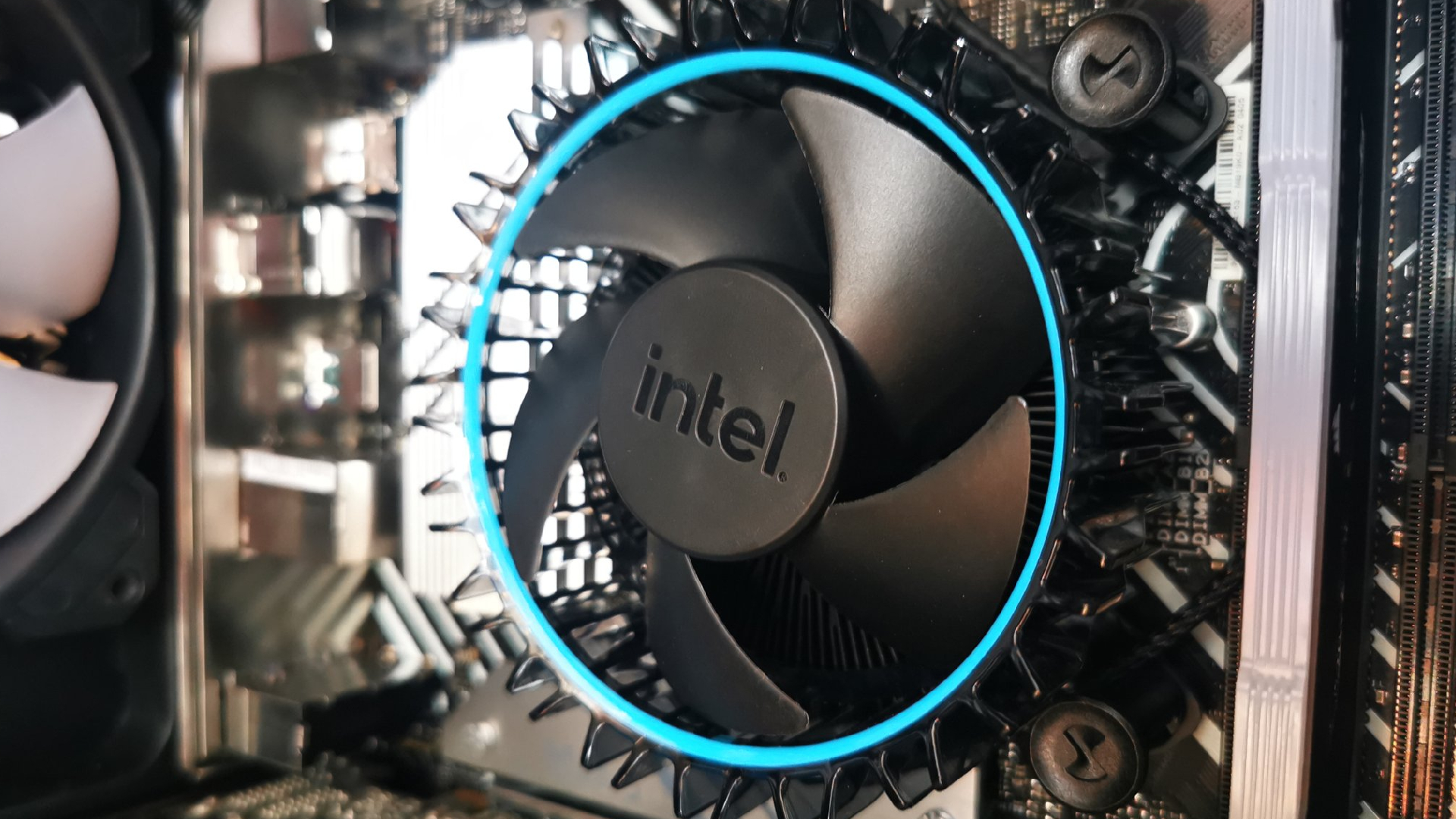
Many Intel and AMD CPUs are bundled with a “stock” cooler, which can be surprisingly decent. If your gaming PC is primarily for casual games (like 2D or simple 3D titles) or non-intensive tasks (email, web browsing, spreadsheets), the included fan might be perfectly adequate.
However, most high-end CPUs do not come with a cooler. If you aim to maximize your gaming PC’s performance, especially if you plan to overclock, investing in a dedicated cooler that can achieve the lowest possible temperatures is essential.
What are air coolers?
Air coolers represent the traditional method of CPU cooling. They utilize a heatsink, typically constructed from highly thermally conductive metals like copper or aluminum, to draw heat away from the CPU. This heat is then dissipated into the air via thin fins, assisted by a fan. Basic coolers might just use solid metal heatsinks, but most modern designs incorporate heatpipes. These thin, hollow tubes contain a liquid that continuously evaporates and condenses, rapidly transferring heat from the CPU surface to the heatsink fins, where a fan disperses it. Entry-level coolers usually feature two or three heatpipes, while high-performance models can have six or more.
What are all-in-one or AIO liquid coolers?
Liquid coolers employ a water-based fluid to cool your CPU. A pump, integrated into the waterblock that sits directly on your CPU, circulates this liquid. As the liquid absorbs heat from the CPU, it’s pumped to a radiator mounted elsewhere in the case. These radiators vary in size, from compact designs accommodating a single 120mm fan to large units supporting three 140mm fans. They are termed “all-in-one” because the entire assembly—waterblock, pump, tubing, radiator, and fans—is sold as a complete, ready-to-install unit, unlike custom water cooling loops where components are purchased separately.
Do I need a liquid cooler?
Liquid coolers are generally superior when it comes to managing substantial heat output from high-powered CPUs. Their ability to leverage large radiators with multiple fans pushing air through them often allows them to outperform even the most capable air coolers.
However, for CPUs with fewer than 12 cores, many quality air coolers can handle the thermal load effectively. This is particularly true if quiet operation is a priority, as premium air coolers are generally quieter than liquid coolers due to the absence of a pump. Liquid coolers, whether AIO or custom loops, do offer distinct advantages. They can be the only feasible cooling solution in cases with restricted space around the CPU but ample room for a radiator elsewhere, such as in the Fractal Mood chassis. Furthermore, liquid-cooled builds create a much more open interior, enabling stunning visual aesthetics for your PC, as often seen in high-end PC builds.
Considering these factors, we generally don’t recommend 120mm AIO coolers unless space is an absolute constraint. They typically don’t offer significant cooling advantages over air coolers and often introduce more noise. However, at 240mm and larger, AIO coolers truly demonstrate their superior cooling potential. While concerns about coolant leaks exist, most AIO coolers are remarkably reliable. Custom water cooling is more complex but offers immense rewards in terms of cooling power, quiet operation, and striking designs, and can even cool your GPU alongside your CPU, though at a considerable increase in effort and cost.
Do CPU coolers come with mounting brackets?
Your CPU cooler should include a variety of mounting brackets. However, processor designs are constantly evolving. If your chosen cooler was released before the Intel Alder Lake series, it might not come with the necessary LGA 1700 bracket. Fortunately, new brackets are usually easy to acquire, and newer cooling options should already support the latest sockets.
Are stock CPU coolers good enough?
The days of stock coolers sounding like a jet engine upon launching a game are largely over. The latest bundled coolers from Intel and AMD are generally adequate for the processors they accompany, assuming you don’t plan to overclock. They can be a perfect fit if your goal is to build a high-performing yet affordable gaming PC.
Can a CPU cooler be too heavy?
Theoretically, a CPU cooler could be too heavy to be safely supported by your motherboard alone. However, most high-end coolers that approach this weight come with specialized mounting systems that effectively negate this risk. We haven’t encountered a CPU cooler suffering from this issue in a very long time.
For additional gaming PC upgrade advice, explore our guides on the best gaming CPUs and best gaming RAM.